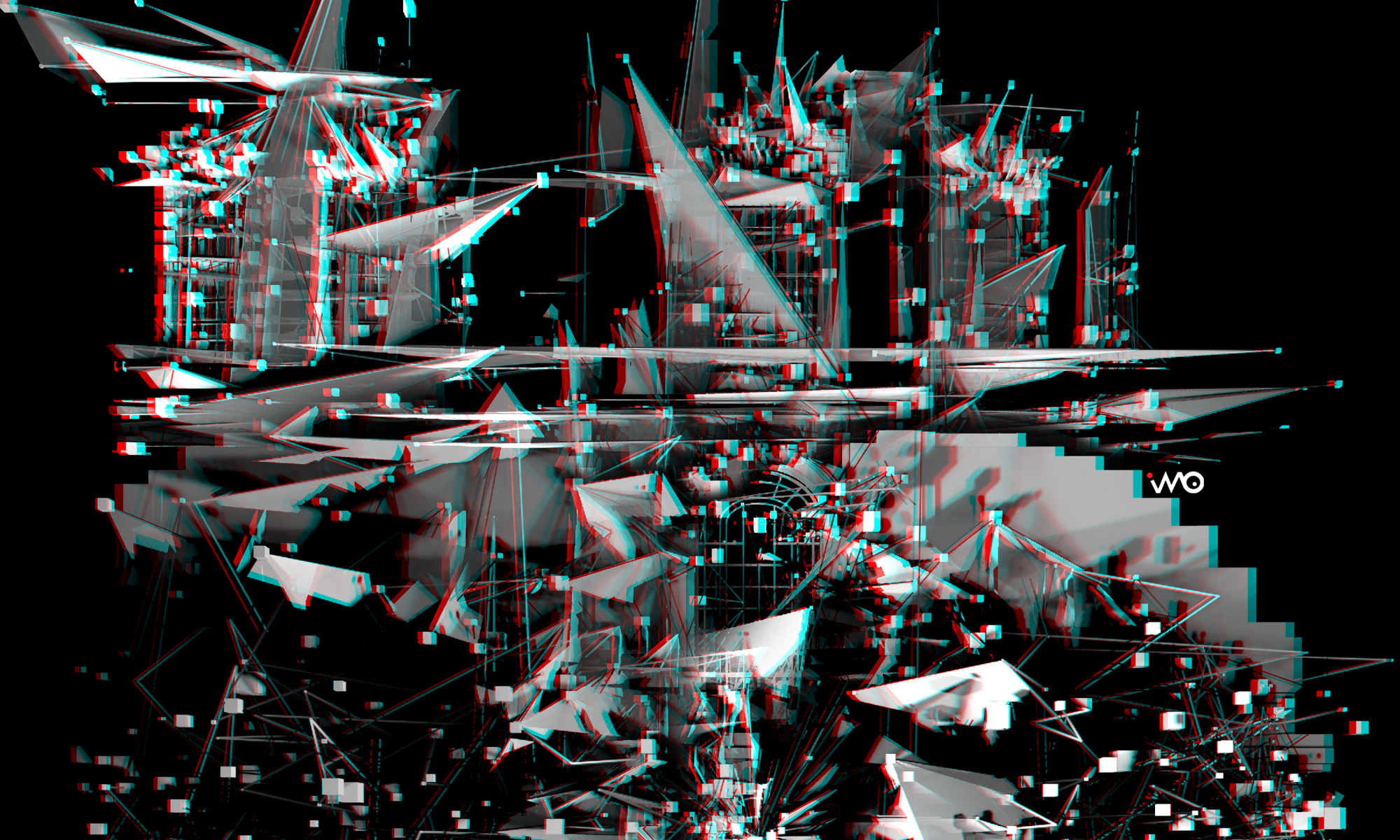
LIQUID HORIZONS — an immersive video installation (at Fixir Gallery, Veszprem) by Ivó Kovács, reconstructed as a fully navigable 360° space.
In its physical form, the work encloses the visitor in a 4.2 × 4.2 m room of four seamless projected walls — a single, uninterrupted synthetic space with no doors, no paths, no horizon to hold on to. The viewer’s own body becomes the only fixed point of reference.
Six scenes unfold without narrative — glitch corridor, brutalist labyrinth, biological vein networks, geometric core, spectral veils, liquid-architecture, synthetic horizons — juxtaposing Trauma-Arbeit and utopia in a digital realm, somewhere between architectural critique and algorithmic aesthetics.
This 360° version was rebuilt in TouchDesigner and rendered in 8K from the exact center of the room — on the one spot where visitor could stand.
🎧 Use headphones. 📱 Drag the screen or move your phone to look around. 🥽 Best experienced in a VR headset in 8K.
A ComfyUI workflow that re-skins a photographed image sequence into a completely different material world, while keeping the original architecture, perspective and camera motion intact.
Built for a 4-wall projection piece: the output tiles seamlessly on the X axis, so the left and right edges of every frame match up when the image is wrapped around a room.
This workflow produced one of the scenes in Liquid Horizons (2026), a 360° looped panoramic projection in a 4.2 × 4.2 m enclosed room, exhibited at F|X|R Médialabor, Veszprém. Released as-is, with the settings that were actually used.
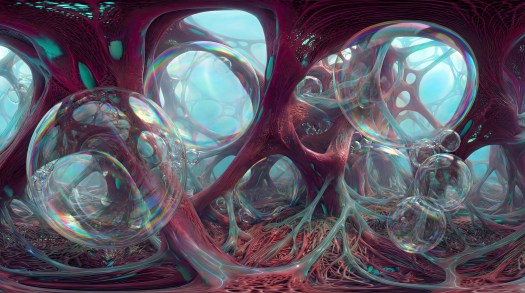
Source frame — abandoned brutalist stairwell, itself an AI render (3840×2160)Style reference — bio-organic membrane with oxygen bubblesOutput — the stairwell re-skinned as organic tissue (3072×1728)
The stairwell’s arches, openings and depth layering survive the transfer — they just become tissue instead of concrete.
1. What this actually does
It is not img2img with a high denoise and hope. Four independent systems constrain the render, and each one is there to solve a specific failure mode:
System
Nodes
Solves
Structure lock
MiDaS depth + LineArt → 2× ControlNet
keeps the real geometry so the AI can’t invent a new room
Style injection
IPAdapter (reference image) + text prompt
supplies the material/palette that the prompt alone can’t describe
Temporal coherence
AnimateDiff (looped uniform context)
stops the per-frame flicker you get from frame-by-frame img2img
Seamless tiling
circular padding on model + VAE, x_only
left/right edges match for wrap-around projection
Plus a sequenced batch loader so a 5000-frame shot can be rendered 64 frames at a time without running out of VRAM, and an image-sequence saver so the result stays as frames (no video encoding, no generation loss) for the edit.
2. Pipeline, in order
Workflow pipeline — from sequence loading to image-sequence save
3. Why each block is in there
3.1 Sequenced loader (the part everyone gets wrong)
PrimitiveInt is set to increment. Its value goes through MathExpression: a * 64 into the loader’s skip_first_frames. frame_load_cap is 64.
So each time you press Queue, ComfyUI renders the next 64 frames:
Queue #
PrimitiveInt
skip_first_frames
frames rendered
1
0
0
0–63
2
1
64
64–127
3
2
128
128–191
Combined with Auto Queue this walks through an arbitrarily long sequence at constant VRAM.
Reset PrimitiveInt to 0 before starting a new sequence, otherwise you silently resume from wherever the last job stopped. If you change frame_load_cap, change the * 64 multiplier to match — they must be identical or you skip or duplicate frames.
The loader also does the first downscale (1920×1080), and ImageScale takes it to the actual render resolution of 768×432. SD 1.5 is trained at 512², so 768×432 is roughly the largest 16:9 frame you can push before geometry starts repeating; the upscaler recovers the resolution at the end.
3.2 Two ControlNets, deliberately unequal
ControlNet
Preprocessor
Strength
start → end
Job
control_v11f1p_sd15_depth
MiDaS (bg_threshold 0.1, res 768)
0.55
0.10 → 0.80
volume, spatial layering, where things are in space
The canny ControlNet is fed LineArt, not Canny. Canny on a mossy, noisy concrete photo produces thousands of texture edges, and the model dutifully draws every one of them — you get a traced photo. LineArt returns clean structural contours and ignores surface grain, which is exactly what you want when the surface is about to be replaced anyway.
Neither starts at 0.0. Depth kicks in at 10 %, lineart at 20 %. The first steps are left free so the model can commit to the material before structure is imposed. Start both at 0 and the output looks like painted concrete instead of tissue.
Depth ends at 0.80 so the last 20 % of sampling is unconstrained — that is where the organic detail actually forms.
ScaledSoftControlNetWeights (0.825) feeds both loaders. It ramps ControlNet influence across the UNet blocks instead of applying it flat, which is the main defence against the “AI traced over my photo” look.
The text prompt can describe what (fleshy tendons, Voronoi cells, turquoise veins) but it cannot pin down the exact palette, the sheen on the bubbles, or the specific way the membranes catch light. The reference image does that. Weight 0.8 is high — this workflow is style-led, the prompt only steers.
ease in-out weights the reference more in the middle of sampling, less at the start and end, which keeps it from fighting the ControlNets early or muddying the fine detail late.
PrepImageForClipVision (LANCZOS, center crop, 0.01 sharpening) is not optional — CLIP Vision wants 224², and feeding it a raw 5504×3072 image without a proper centre crop throws away most of the reference.
3.4 Seamless X tiling for 4-wall projection
Three nodes work together:
Apply Circular Padding Model — swaps the UNet’s convolutions to circular padding
Apply Circular Padding VAE — same for the VAE, so the encode/decode doesn’t re-introduce a seam
CircularVAEDecode with x_only — restricts the wrap to the horizontal axis
Horizontal only, because the image wraps around four walls but the floor and ceiling are not continuous. Enable Y as well and you get a visible smear where the ceiling tries to meet the floor.
Both padding nodes must be active — patching only the model leaves a faint seam that the VAE reintroduces at decode, and it is very hard to spot until it is projected two metres wide.
ADE_AnimateDiffLoRALoader — v2_lora_ZoomIn.ckpt at 0.45
AnimateDiff here is not generating the motion — the source footage already has a moving camera. Its job is temporal coherence: the 16-frame context window with 8 frames of overlap means every frame is denoised with knowledge of its neighbours, so the tissue textures stay attached to the same surfaces instead of boiling.
motion_scale 0.8 (below the default 1.0) deliberately damps AnimateDiff’s own motion so it doesn’t fight the camera move that is already in the plate.
The ZoomIn motion LoRA at 0.45 adds a slow inward push on top of the source camera move. It is subtle at that weight — a drift, not a zoom. Set it to 0 if your source already moves enough.
Note that the latent comes from VAEEncode of the source frames, not from an empty latent — this is img2img. denoise 0.90 leaves 10 % of the original image in the mix, which is enough to anchor the lighting and contrast to the plate without letting the concrete show through.
cfg 8.5 is high for SD 1.5, but it is compensating for two ControlNets and an IPAdapter all pulling in different directions.
more_details LoRA at 0.6/0.6 is on the base model — it is there because the render resolution (768×432) is low and the model needs help producing texture that survives a 4× upscale.
3.7 Output
Image Save (WAS Node Suite) writes a numbered JPG sequence at quality 100, 5-digit padding: styleTransfer_00001.jpg, styleTransfer_00002.jpg, …
Frames, not video, on purpose: – the batch loader produces the shot in chunks; a video node would produce a pile of clips to splice – no inter-frame compression before the edit – a failed chunk can be re-rendered and dropped in without touching the rest
4x-UltraSharp runs before the save, taking 768×432 to 3072×1728.
The MiDaS preprocessor downloads its own weights on first run.
The checkpoint path in the workflow is SD1.5\dreamshaper_8.safetensors — it expects a SD1.5 subfolder inside models/checkpoints/. Either create it or re-pick the checkpoint in the node.
5. Setup
ComfyUI/
├── input/
│ ├── stairway_seq/ <- your source frames (jpg or png, numbered)
│ └── neuronWithBubbles_ref.jpeg <- the style reference
└── output/
└── styleTransfer/ <- created on first save
All paths in the workflow are relative to the ComfyUI root, so it loads and runs on any machine without editing. If your LoadVideosFromFolder build insists on an absolute path, replace input/stairway_seq with the full path — that is the only node that may need it.
6. Running it
Drop the source frames into ComfyUI/input/stairway_seq/.
Load LCM_ip_ctrl_transfer.json.
Set PrimitiveInt to 0.
Queue once. Check the first 64 frames before committing to the whole shot.
Happy with it? Turn on Auto Queue and let it walk the sequence.
Reset PrimitiveInt to 0 before the next shot.
Do a lookdev pass first. Bypass the batch stepping, set frame_load_cap to 16, and iterate on prompt / IPAdapter weight / denoise until a 16-frame chunk looks right. A full shot at these settings is not something you want to discover was wrong at frame 3000.
7. What to tune
Parameter
Node
Value
Effect
denoise
KSampler
0.90
↓ keeps more of the original photo, ↑ more invention. Below ~0.75 the concrete starts showing.
weight
IPAdapterAdvanced
0.80
how hard the reference image drives the look. 0.5–0.6 lets the prompt lead instead.
strength
ControlNet (depth)
0.55
↑ locks volume harder, ↓ lets the geometry melt
strength
ControlNet (lineart)
0.65
↑ preserves edges, ↓ softens architecture into organic mass
start_percent
both ControlNets
0.10 / 0.20
↑ gives the style more freedom early — the single most effective knob
motion_scale
AnimateDiff
0.80
↑ more independent motion, ↓ follows the plate more closely
strength
ZoomIn motion LoRA
0.45
the slow inward drift. 0 disables it.
context_length / overlap
LoopedUniformContext
16 / 8
↑ overlap = smoother but slower; 8/16 is the usual sweet spot
frame_load_cap + a * N
loader + MathExpression
64
chunk size — must match each other
8. Prompt variations
Four Note nodes in the workflow carry the prompt variants that were tried. The active one is the oxygen bubble version; the others are kept because they change the result substantially:
base — fleshy tendons, Zaha Hadid fluid architecture, Voronoi cellular pattern, metal datacables, turquoise veins, hazy blue void, dreamcore / Y2K surrealism
oxygen bubbles(active) — adds iridescent translucent bubbles trapped in the tissue, chromatic aberration, prismatic reflections
Recurring negatives: grainy, noise, grit, dots, dither, low-res textures (1.5) and glow, neon, vibrant lights (1.4). The anti-glow weight matters — SD 1.5 will make anything described as “organic network” glow like a screensaver unless you actively suppress it.
9. Troubleshooting
Symptom
Cause
Fix
Output looks like a traced photo
ControlNets too strong, or starting at 0.0
raise start_percent, lower lineart strength
Textures boil / flicker between frames
AnimateDiff context too short or overlap too small
raise overlap to 8+, check the motion model actually loaded
Visible vertical seam when wrapped
only one circular padding node active
both Apply Circular Padding ModelandVAE must be on
Frames skipped or duplicated
frame_load_cap ≠ MathExpression multiplier
make them identical
Second run starts mid-sequence
PrimitiveInt not reset
set it back to 0
Everything glows neon
SD 1.5 default behaviour for organic prompts
keep the anti-glow negative weights up
OOM
64-frame chunks at 768×432 need real VRAM
lower frame_load_cap and the multiplier together
10. License
Workflow and documentation — MIT. Use it, change it, ship it commercially, no attribution required (though it is appreciated).
Example images (stairway_seq_000000.jpg, neuronWithBubbles_ref.jpeg, stairway_brained_out.jpg) — CC BY 4.0. Share and adapt with credit.
Models, LoRAs and custom nodes referenced by the workflow are not covered by either — each has its own terms. Check them before commercial use.
Built and rendered on ComfyUI 0.3.14 / frontend 0.6.0, RTX 4090. Roughly 20 GB VRAM at 64 frames × 768×432.
The workflow ships with embed_workflow enabled on the saver, so every output JPG carries the graph that produced it — drag one into ComfyUI to get the exact settings back.
ARTIST TALK — LIQUID HORIZONS 📍 f|x|r galéria, Veszprém, Vár – Foton udvar 🗓 Saturday, July 18 · 7 PM
This Saturday I’ll be talking about Liquid Horizons — the immersive four-wall panoramic installation currently on view at f|x|r galéria — and the process behind it: AI-generated imagery, projection, and the shifting horizon between the real and the synthetic image.
I generated an audio companion — a scene-by-scene author’s narration on the ideas behind the work. “The machine writes and reads everything now; understanding is still ours.” Listen below 🎧 HU: